Theravus Pro
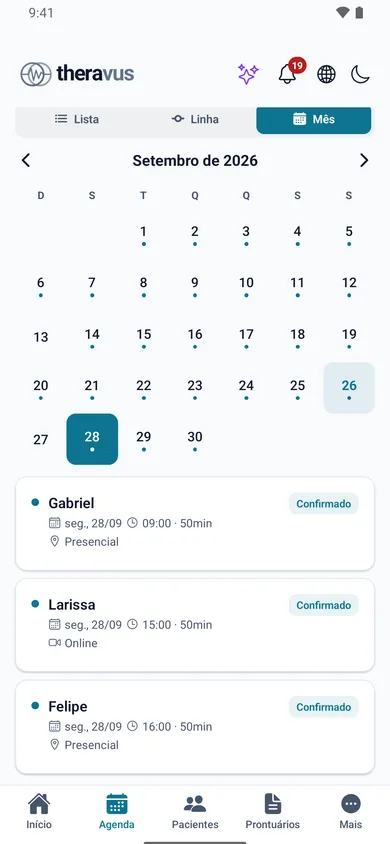
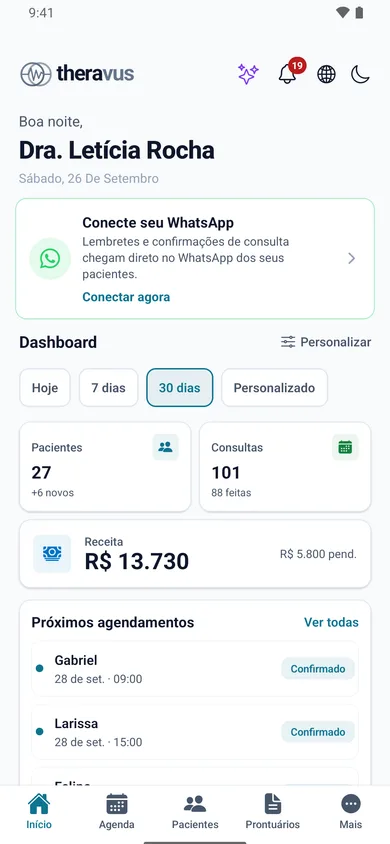
Schedule, patients, records, telehealth and Cowork on your phone, with confirmation and payment alerts. iOS and Android.


Features
Scheduling, clinical records, telehealth, billing, WhatsApp, bookkeeping and an AI with specialists — all in one system, in the browser, on your phone and on your wrist. Click each module to see the screens.
2 months free · no card · no lock-in
Theravus dashboard in the browser. Schedule in the Theravus Pro app.
One appointment, start to finish
Follow a whole appointment. Every step happens inside Theravus — and each one feeds the next, with nobody retyping anything.
Mon · 09:12
On your booking page they only see open slots and pick one. The appointment lands on your schedule with type, room and fee.
Tue · 08:00
The day before, the patient gets a reminder from the practice’s WhatsApp and confirms right in the chat. The confirmation shows up on the schedule.
Wed · 14:00
At the office or via telehealth in the browser, nothing to install. Recording only happens if the patient consents.
Wed · 14:52
The progress note is written in your specialty’s template and signed with an ICP-Brasil certificate. Prescriptions and certificates come from the same place.
Wed · 15:00
The payment link goes out on WhatsApp — Pix, card or bank slip. When the money arrives, the invoice is settled automatically.
Month end
The appointment is already in revenue, the cash book and the monthly reports, organized for your taxes and your accountant.
01 Scheduling
Day, week or list; in person or online; one professional or the whole clinic. Slots, rooms, confirmations and payments on a single screen.
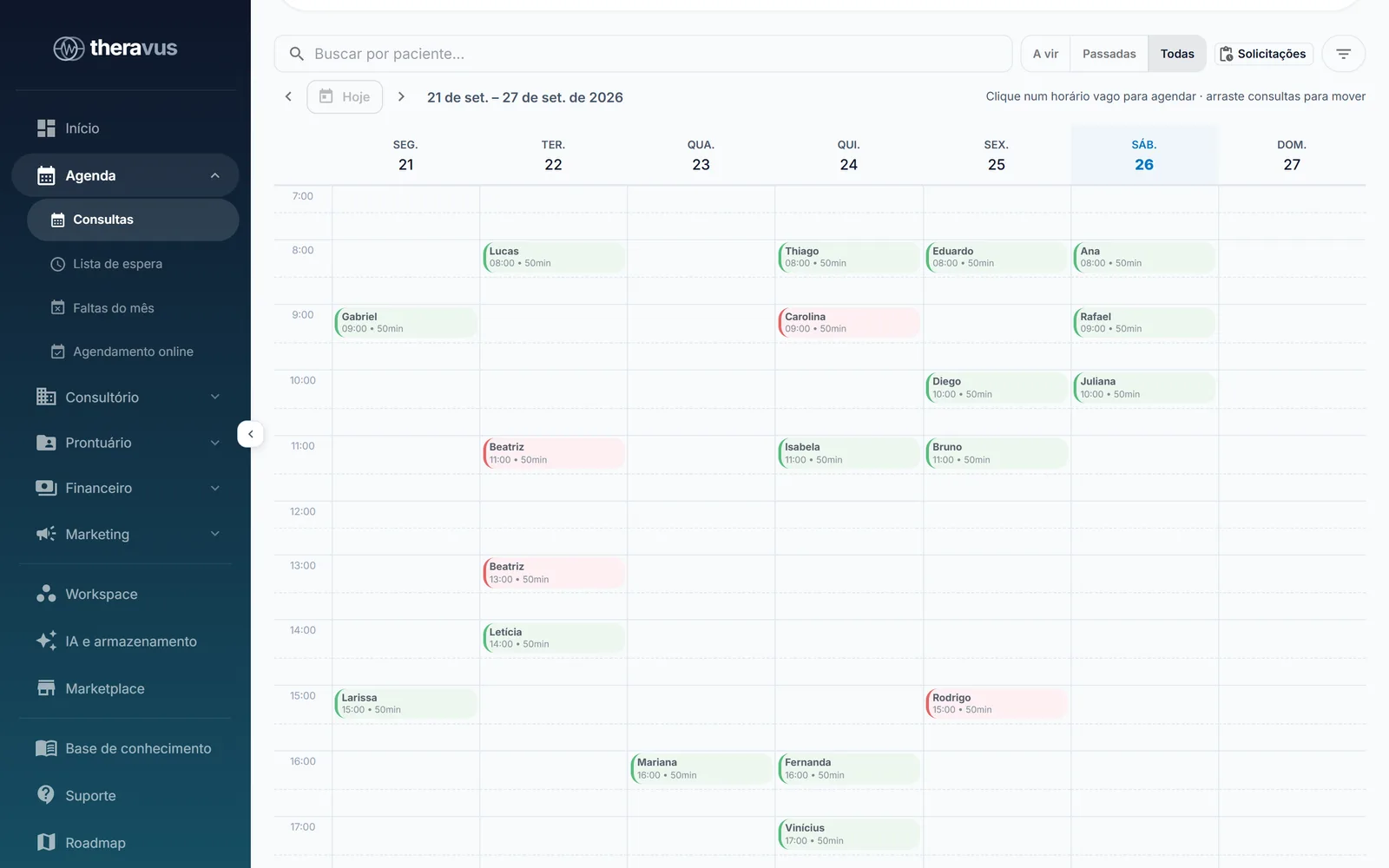
Switch views, block time and create appointments in seconds.
Each appointment shows its type (in person or online) and whether it has been paid.
02 Patients
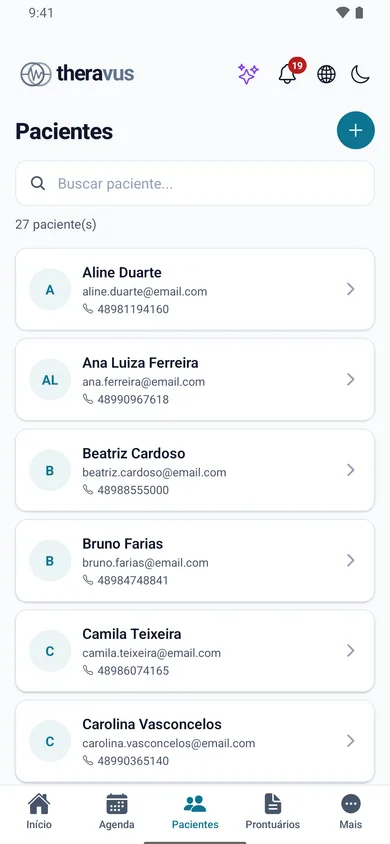
Details, history, documents, payments and conversations in one place — plus a portal and an app for patients to follow their own care.
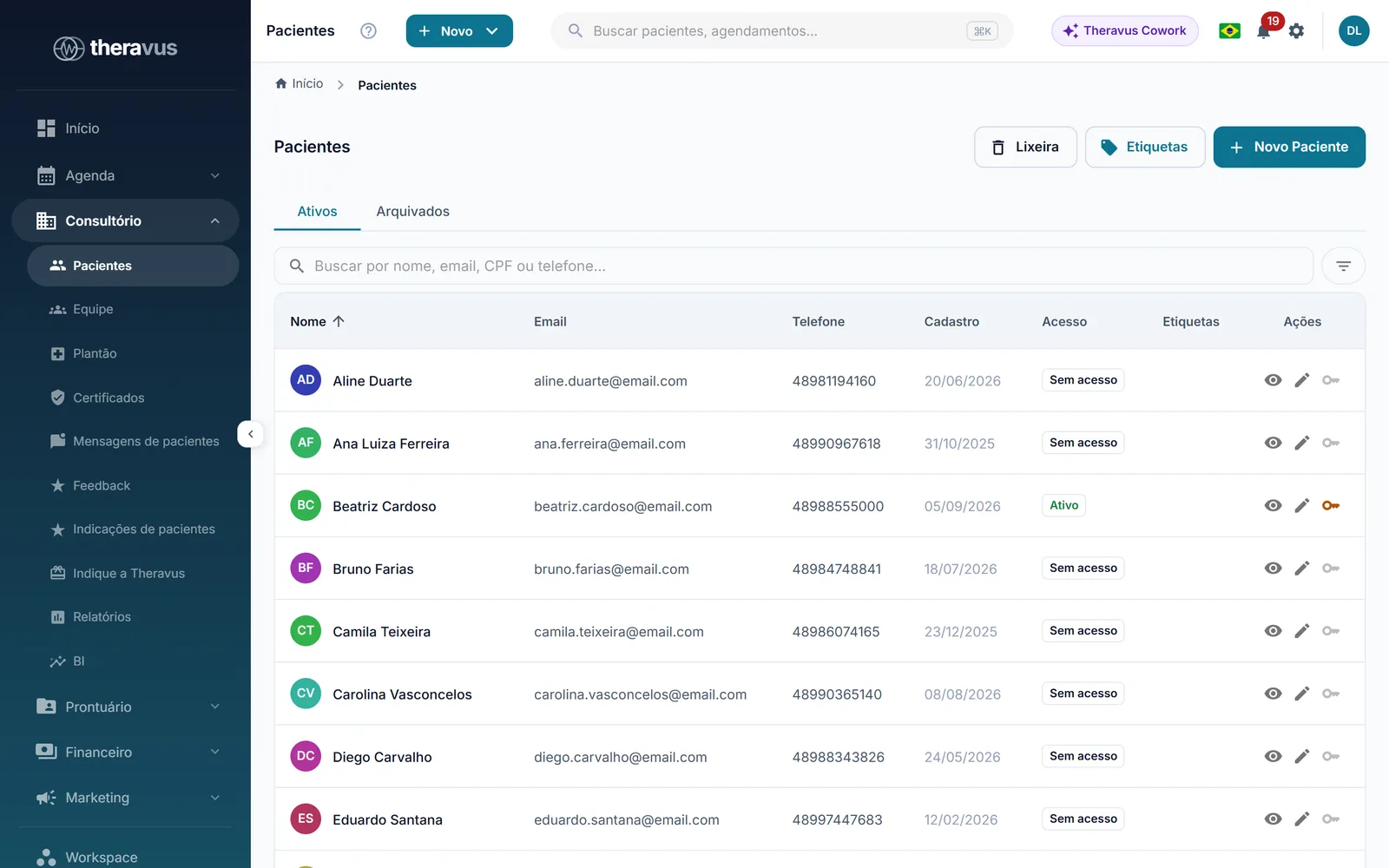
Search and filter by name, status or professional.
Open the file to see the patient’s history, documents and charges.
03 Clinical records
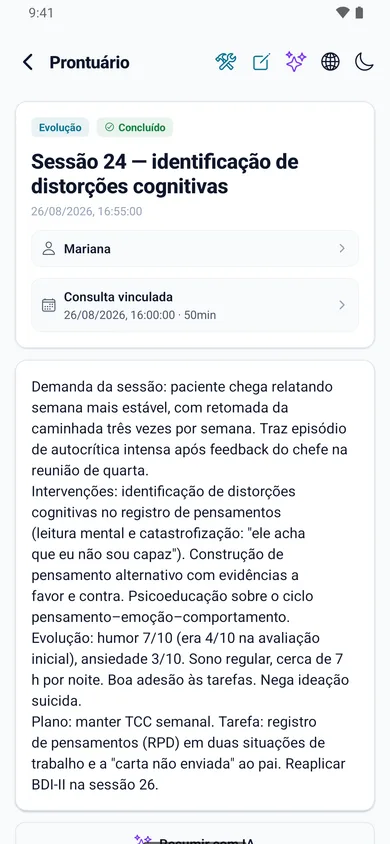
Ready-made templates for each field, AI that helps you write without knowing who the patient is, and a legally valid digital signature.
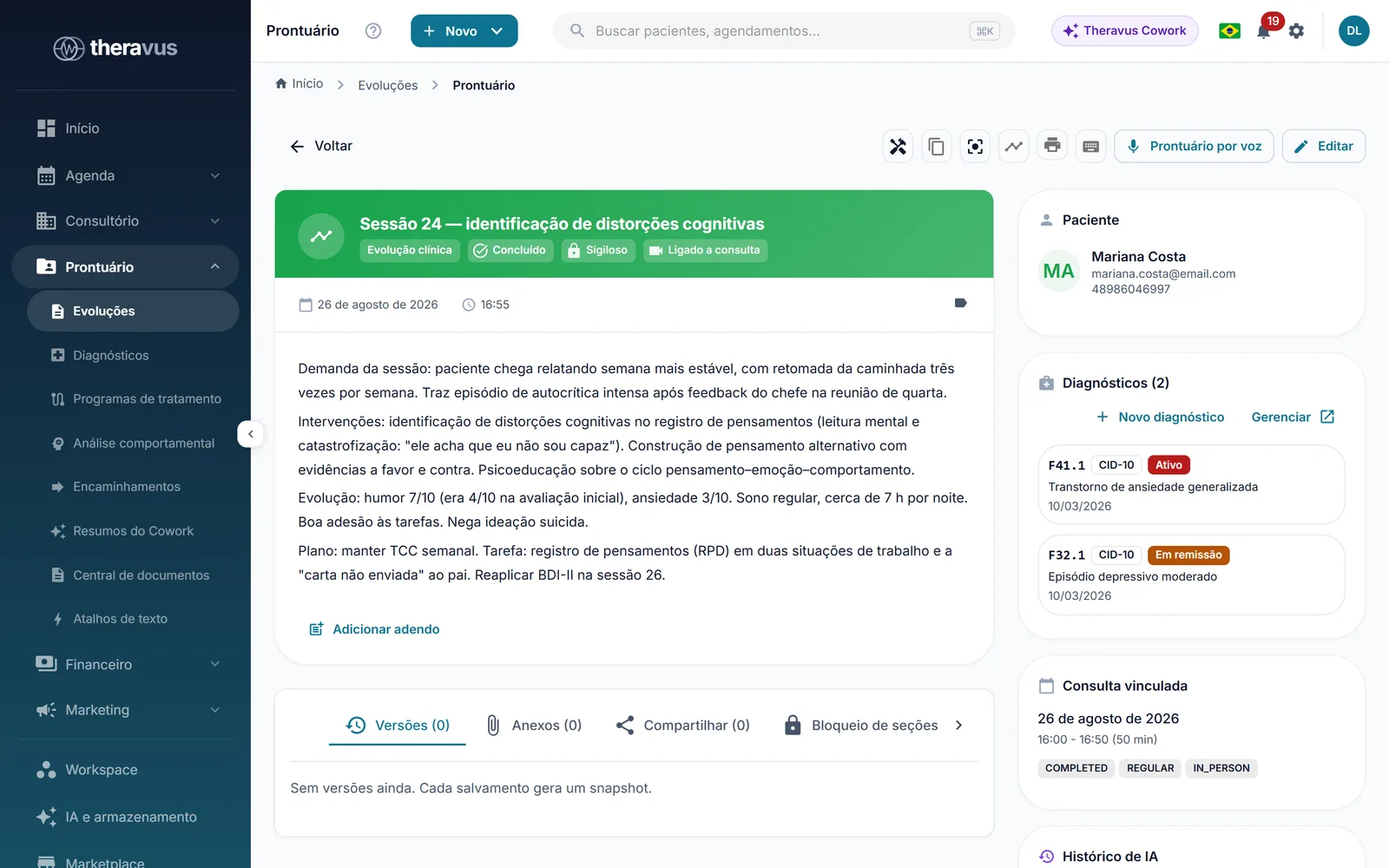
Templates with the fields your specialty uses.
The patient’s session history and documents next to what you write.
Pick a specialty
Intake, per-session notes, scales and tests, treatment plan and discharge — with AI that summarizes the history.
Longitudinal notes, clinical scales, medication history and digital prescriptions, controlled substances included.
Functional assessment with pain (VAS) and range of motion, per-visit notes, exercises with photo or video in the patient app, and session packages.
Dental chart by tooth and surface (FDI notation), treatment plan with a quote the patient approves in the portal or app, X-rays and photos.
Tap the teeth to mark them
Visual acuity, refraction, intraocular pressure, slit-lamp and fundoscopy; glasses or contact lens prescriptions and standard reports.
04 Theravus Cowork
Cowork is Theravus’s AI. Ask in your own words and it calls the right specialist — records, scheduling, finance and bookkeeping, marketing or data analysis.
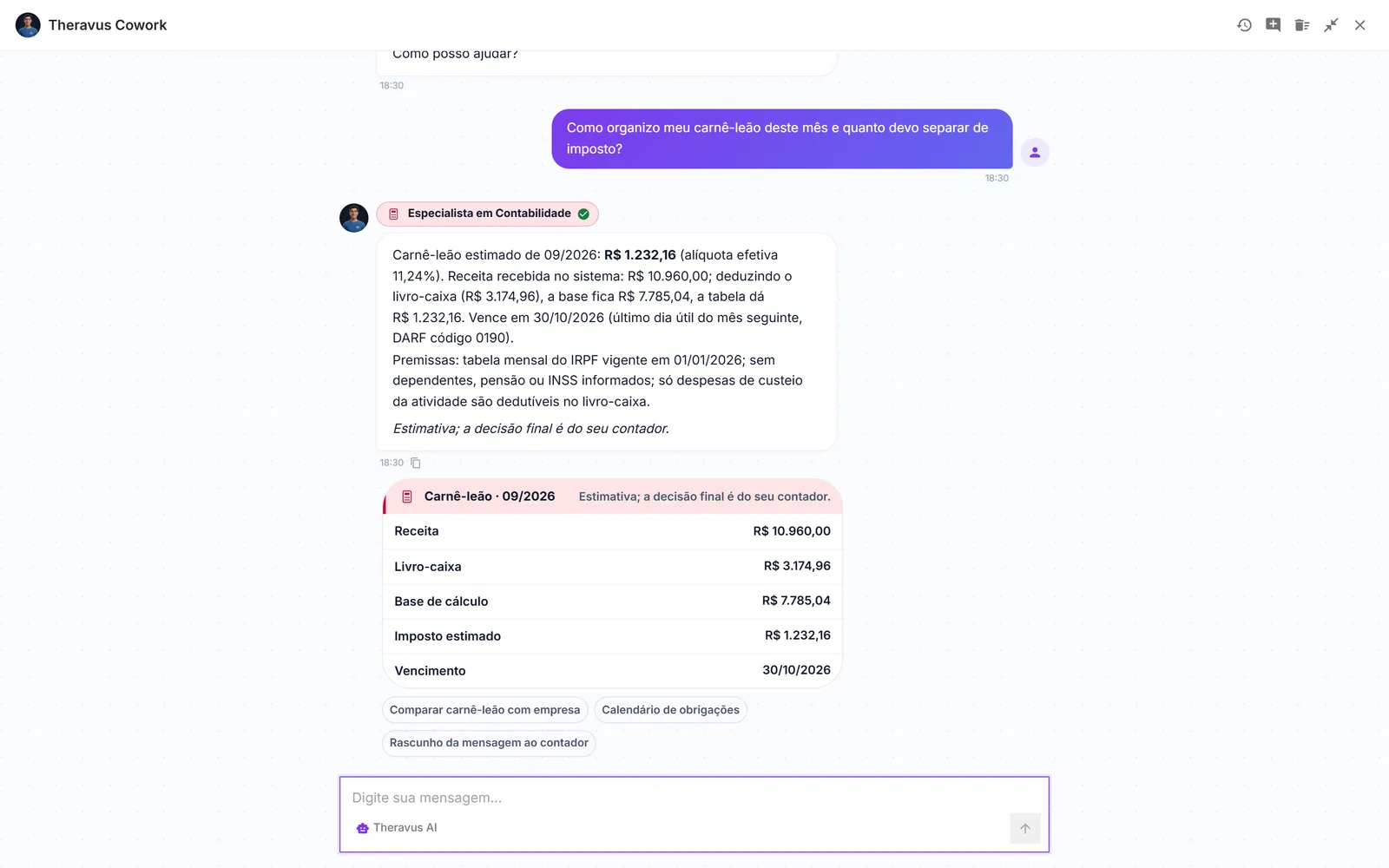
Cowork sits at the top of every screen, always at hand.
Answers come as cards: lists, tables and charts you can click and open.
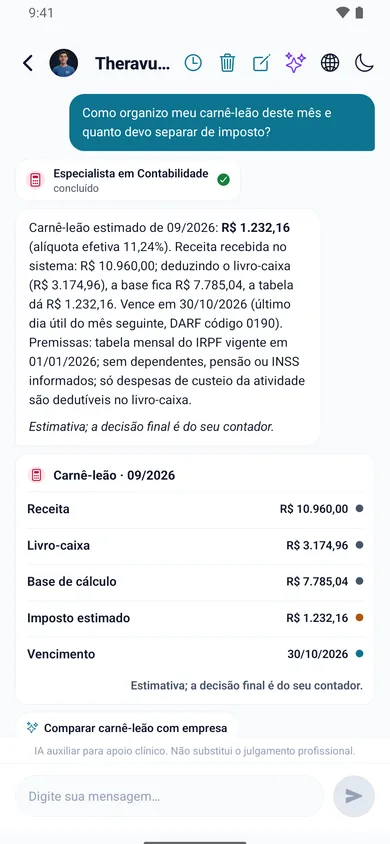
Anonymized first
The patient’s name, ID number, phone and email are stripped before any text reaches the AI. And actions that change data — booking, sending a charge — ask for your confirmation.
05 Telehealth
Built-in video room with nothing to install — or Google Meet, if you prefer. The link goes in the reminder and the patient joins from the portal or the app.
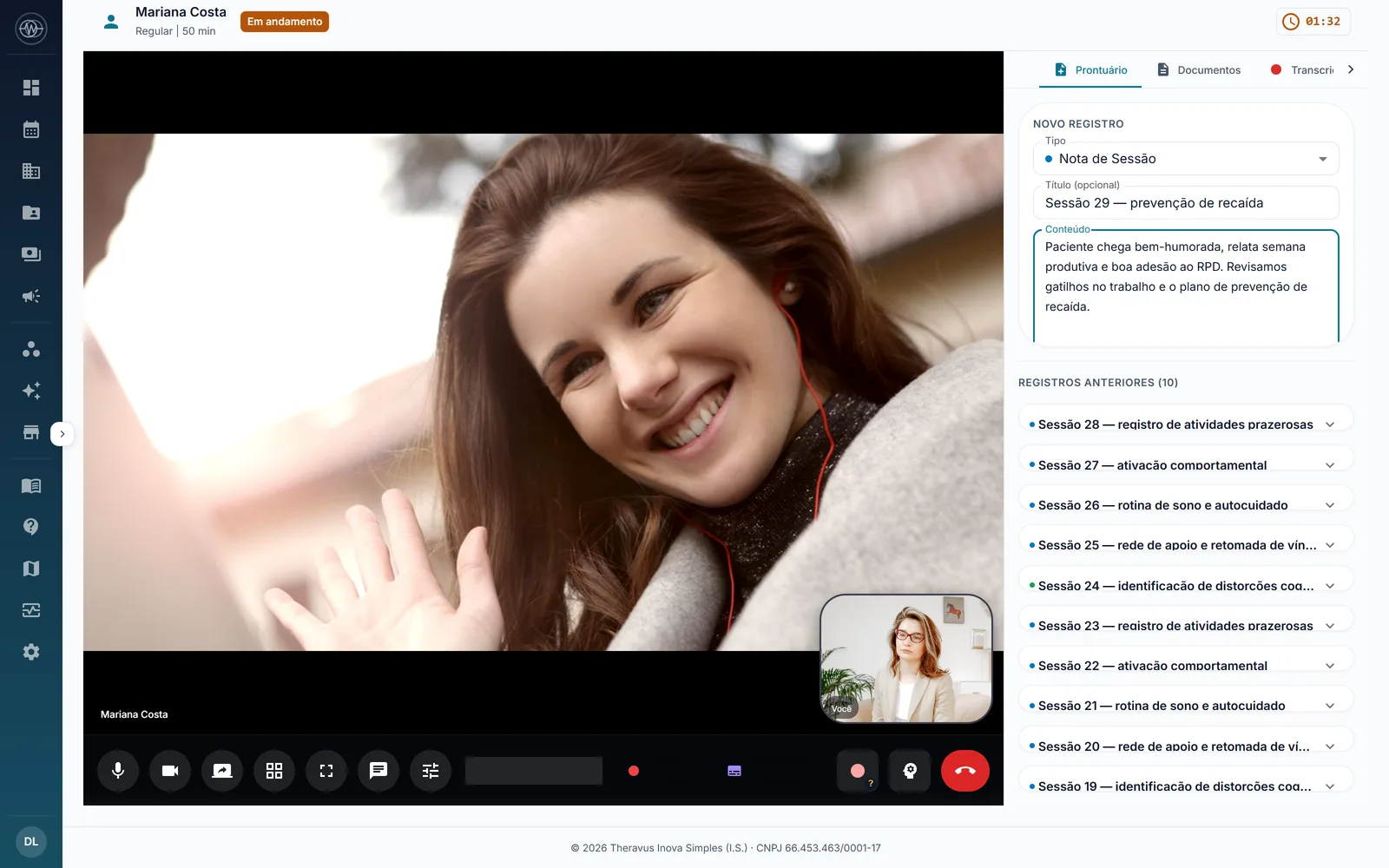
Video right in the browser, for you and the patient.
Call controls are always in view.

06 Billing
Pix, card and bank slip through Mercado Pago or Stripe, settled automatically when the payment arrives. The money goes straight to your account.
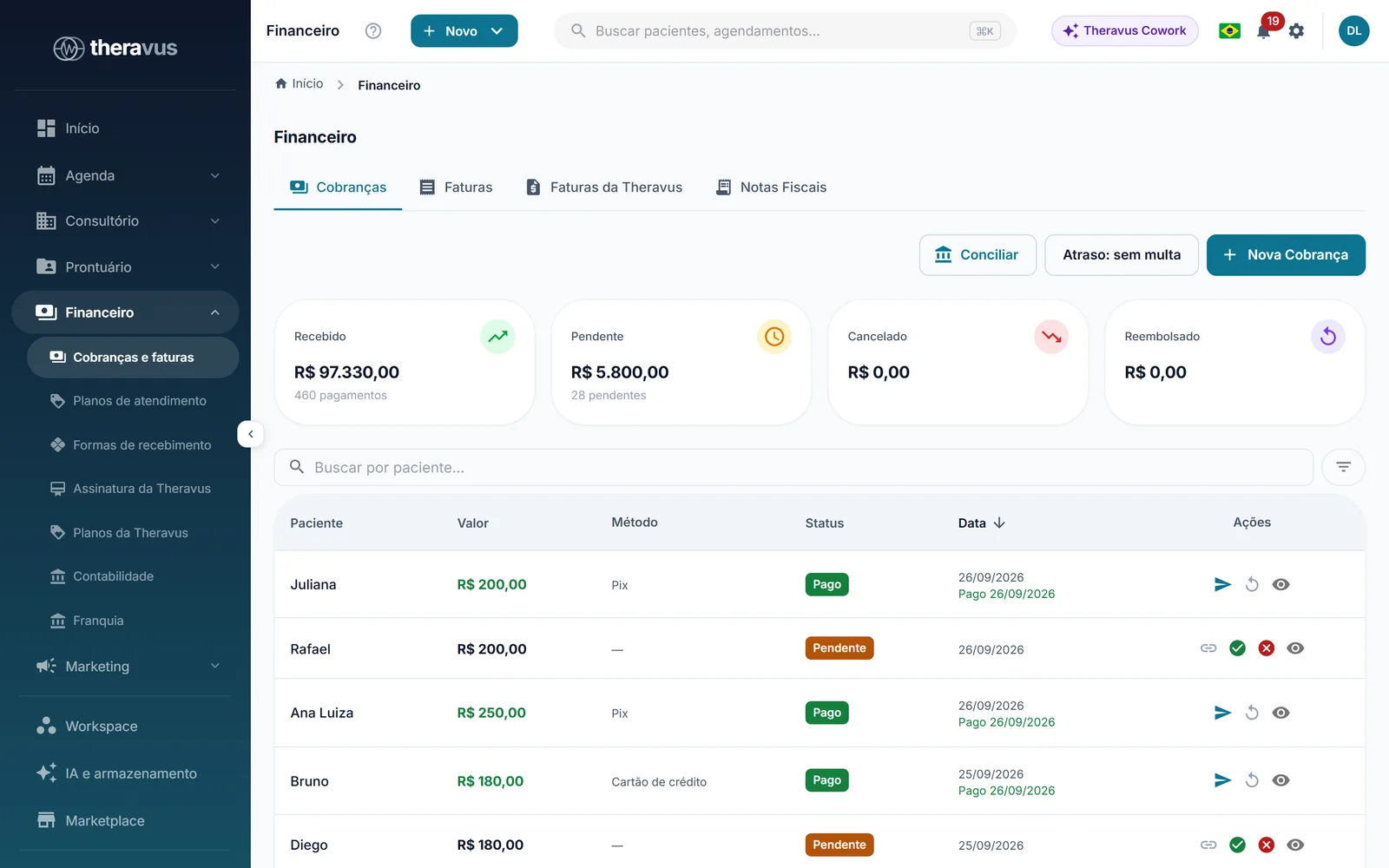
Received, receivable and overdue in one summary.
Every entry with its payment method and status.
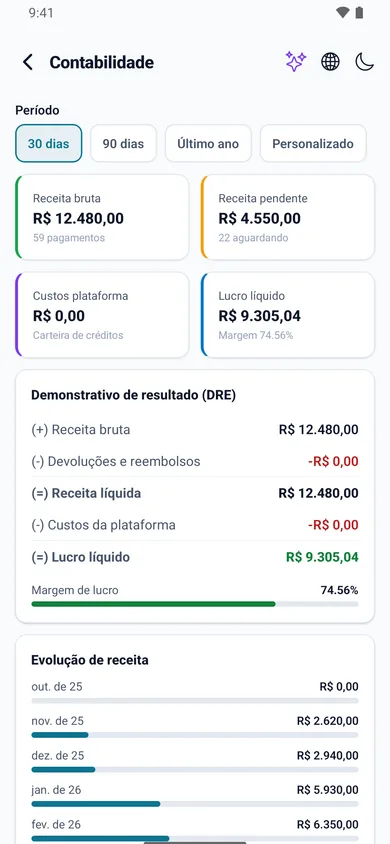
07 Bookkeeping
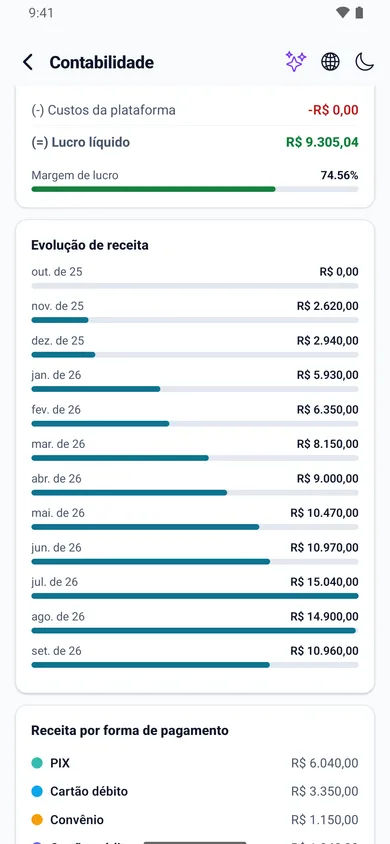
Every payment and every expense goes into the cash book. At month end, reports and the monthly income tax (carnê-leão) are ready for you or your accountant.
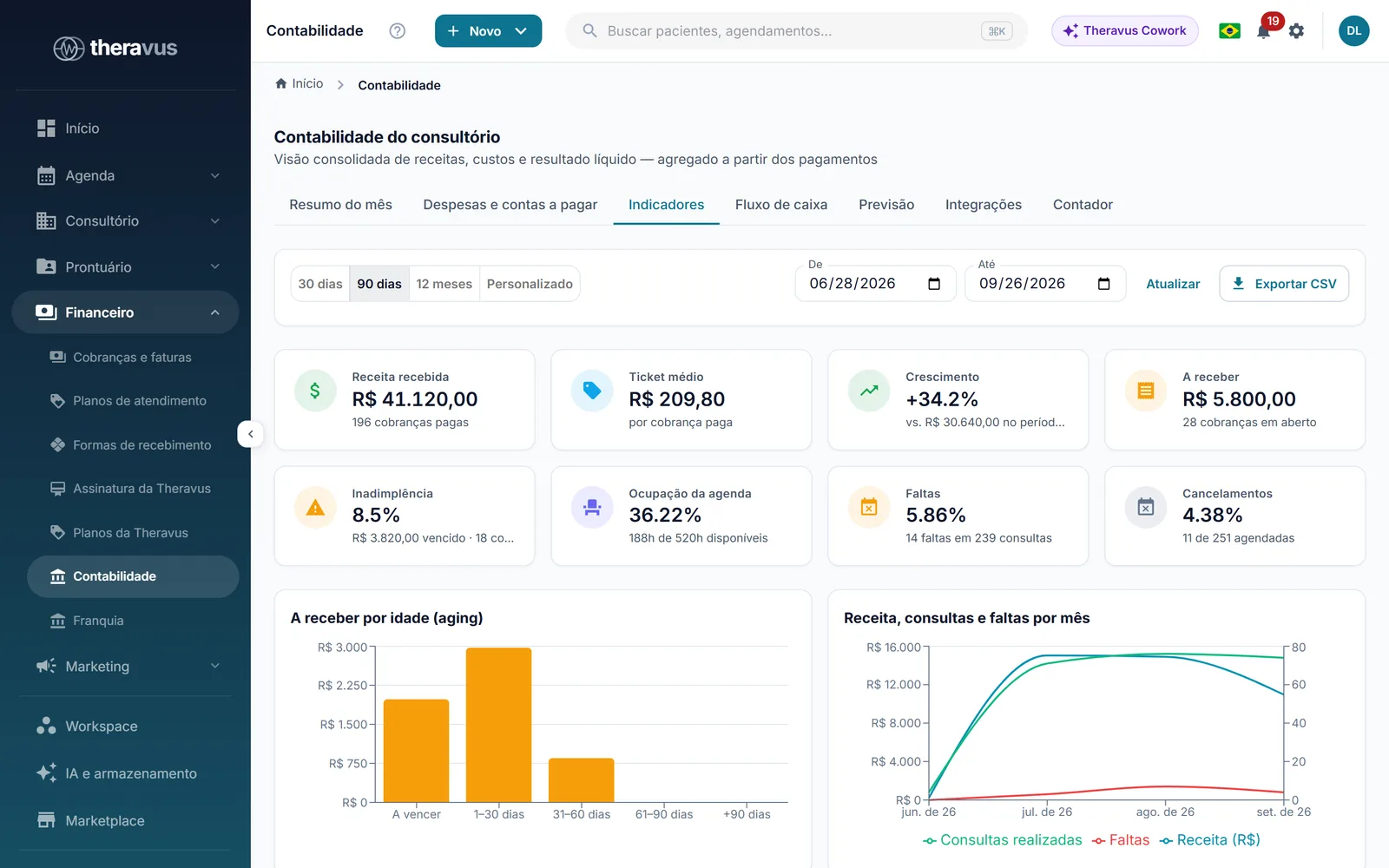
The period’s income and expenses, split by category.
Export what your accountant needs in one click.
08 WhatsApp
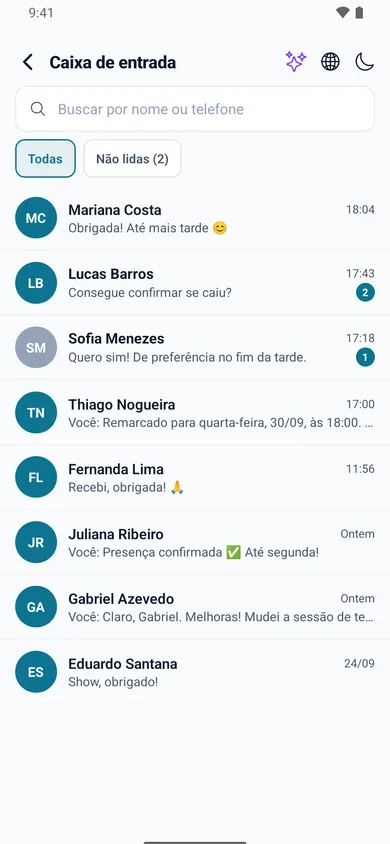
Connect the practice’s number and let reminders, confirmations and payment requests go out on their own. Conversations live in an inbox inside Theravus.
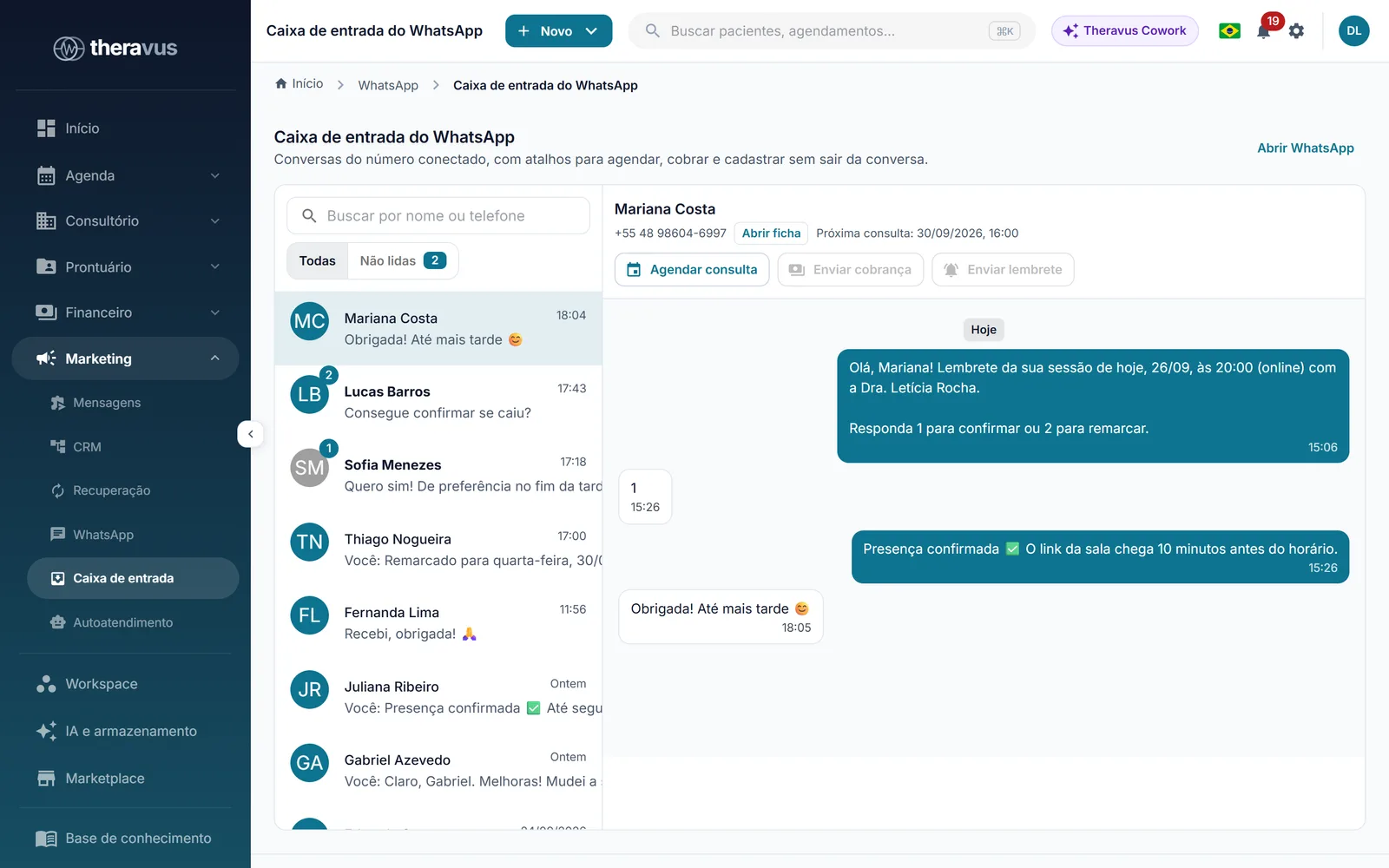
Every conversation from the practice’s number in one place.
Reply with the patient’s context right beside you.
09 Reports
Appointments, revenue, schedule occupancy and no-shows on the home dashboard — and detailed reports whenever you want to dig deeper.
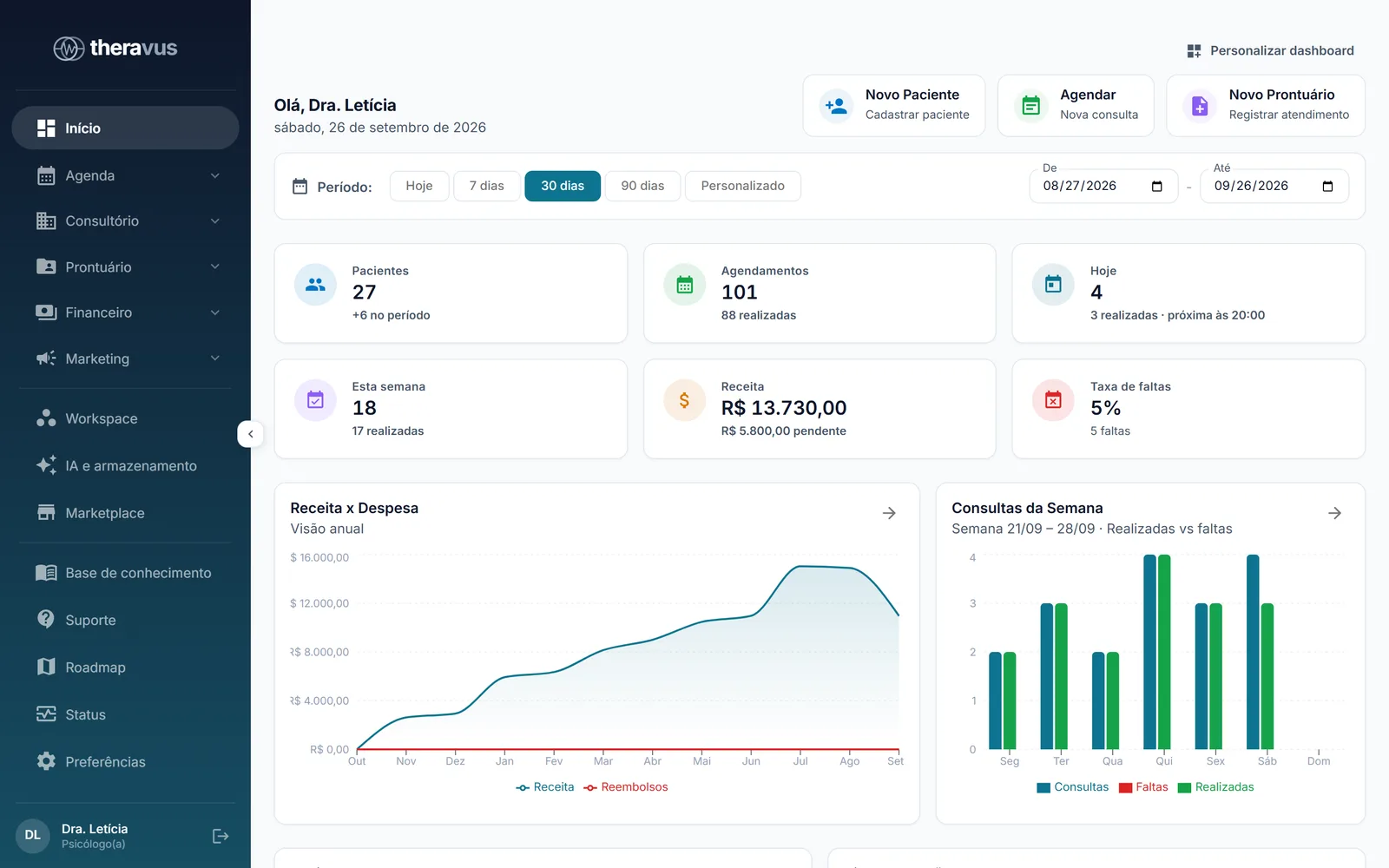
Today’s and this month’s indicators right at the start.
Upcoming appointments and to-dos up front.
10 Team and permissions
Professionals, front desk and finance in the same system, each with their own access profile. Records stay confidential even between colleagues.
11 Networks and franchises
For networks and franchises: each location runs on its own while headquarters follows indicators, standards and network finances in a dedicated panel.
12 Apps
Apps for professionals and patients, watch apps and a Chrome extension — all connected to the same account.
Schedule, patients, records, telehealth and Cowork on your phone, with confirmation and payment alerts. iOS and Android.
Your next appointment and room on your wrist, with a heads-up before each session.
Patients confirm appointments, join telehealth, pay, download documents and do their treatment exercises. Works with Apple Health and Health Connect.
Theravus Cowork in the browser’s side panel, with the same specialists as the system, on any tab.
13 Security and privacy
Security is not a separate module: it is on every screen. Here is a summary of what protects your data and your patients’ data.
Data stored in Brazil
Database and backups kept within the country.
Encryption
AES-256 for stored data and always-encrypted connections.
Audit trail
Who accessed what, and when — including every time a record is opened.
Role-based access
Each team member sees only what their work requires.
LGPD in practice
Consents logged and data-subject requests handled by the system.
AI without personal data
Anything that identifies the patient is removed before text goes to the AI.
Integrations
Native integrations, switched on in a few clicks inside Theravus — no spreadsheets in between, no copy and paste.
Data from a demo account.
Create your account and use the full platform for 2 months, no card and no lock-in. Or explore a ready-made demo account right now.
2 months free · no card · no lock-in